
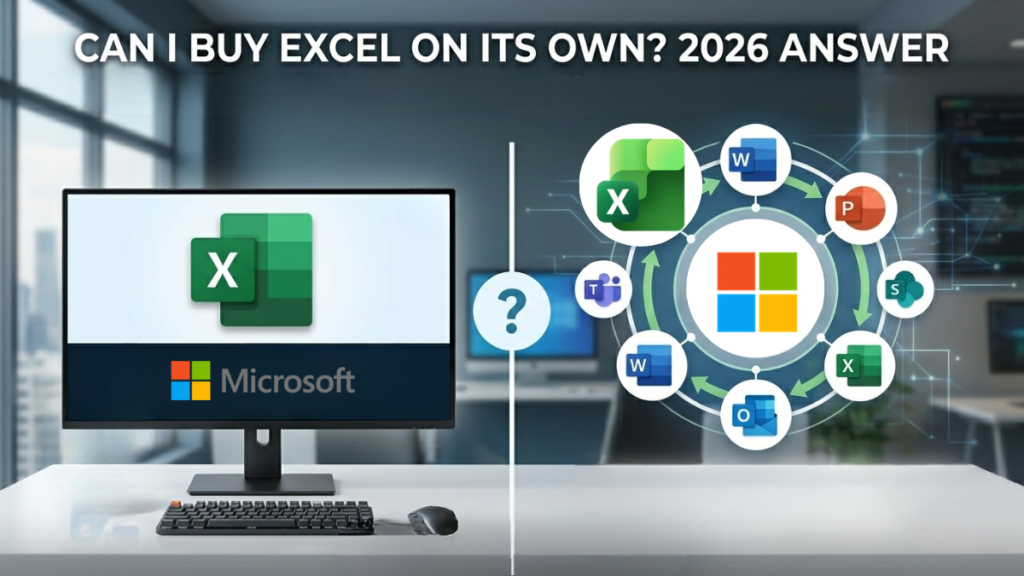
Yes — standalone Excel 2024 for PC is available as a genuine one-time purchase. But before you buy it, there is a pricing reality worth knowing about. This guide gives you the honest answer, the cost comparison, and the clearest route to the right product for your situation.
The Direct Answer
Yes, you can buy Microsoft Excel on its own. Excel 2024 for PC is available as a genuine perpetual licence — one-time purchase, no subscription, installs on one Windows PC. It costs £54 from Software Supplies with instant digital delivery. See Excel 2024 standalone →
That said, there is a cost comparison worth seeing before you complete your purchase. Depending on how you use your PC, a full Office suite may cost you only a little more — or in the case of Office Professional Plus 2024, actually less than you might expect for five additional applications. The next section lays it out clearly.
The Pricing Reality: What £25 More Gets You
Excel standalone is priced at £54. Office Professional Plus 2024 — which includes Excel, Word, PowerPoint, Outlook, OneNote, and Access — is priced at £79. That is a £25 difference for six applications versus one.
+ Outlook + OneNote + Access
+ Outlook + OneNote
The sharp comparison: Office Professional Plus 2024 at £79 gives you five more applications than standalone Excel for £25 more — and it is actually cheaper than Office Home & Business 2024, which includes fewer apps. For most buyers, Pro Plus 2024 is the most logical choice once you see the full picture.
This is not a reason to avoid the standalone product — if Excel is genuinely the only application you need now or in the foreseeable future, £54 is the right answer. But a lot of people searching for standalone Excel are not aware of this pricing structure, and discovering it afterwards is frustrating. Better to know now.
Which Route Is Right for You?
The decision comes down to one honest question: is Excel genuinely the only Microsoft application you will ever need on this PC?
You use Excel for a specific, contained purpose — a spreadsheet tool for a single project, a data analysis workflow, or a hand-off from a colleague. You have no use for Word, PowerPoint, or Outlook and that is not going to change.
Excel 2024 standalone — £54 →You use or expect to use more than just spreadsheets. Even occasional use of Word for documents or Outlook for email makes the full suite a significantly better return on £25 more. Office Pro Plus 2024 is the most logical purchase at this price point.
Office Pro Plus 2024 — £79 →If you are still unsure, the Office Licence Advisor takes two minutes and gives you a clear recommendation based on your actual usage.
The Products in Detail
- Full desktop Excel 2024 for Windows
- One-time purchase — no subscription
- One PC licence, perpetual
- Instant digital delivery
- Windows 10 and Windows 11
- Genuine Microsoft product key
- Word, PowerPoint, Outlook not included
- Not available for Mac as perpetual licence
- Excel 2024 — full desktop version
- Word, PowerPoint, Outlook, OneNote
- Access included
- One-time purchase — no subscription
- One PC licence, perpetual
- Instant digital delivery
- Windows 10 and Windows 11
- Support through October 2029
- Installed via Office Deployment Tool or LTSC channel
- No Microsoft account required
- Excel 2024 — full desktop version
- Word, PowerPoint, Outlook, OneNote
- One-time purchase — no subscription
- One PC licence, perpetual
- Instant digital delivery
- Windows 10 and Windows 11
- Support through October 2029
- Activated via setup.microsoft.com — simplest setup route
- Microsoft account required to redeem licence
- Access not included
What if You’re on a Mac?
Standalone Excel 2024 is not available as a perpetual licence for Mac. Microsoft does not sell individual Office applications as one-time purchases on macOS — the only perpetual route for Mac users is a full Office suite.
The relevant Mac product is Office Home & Business 2024 for Mac at £92, which includes Excel, Word, PowerPoint, Outlook, and OneNote as a one-time purchase. It is natively optimised for Apple Silicon (M1 through M4) and is supported by Microsoft through October 2029.
Mac users searching for standalone Excel will need the full suite. Office Home & Business 2024 for Mac at £92 is the only perpetual route — there is no individual app purchase available on macOS.
Full Comparison: Standalone Excel vs Office Suites
| Feature | Excel Standalone | Office Pro Plus 2024 | Office H&B 2024 |
|---|---|---|---|
| Price (one-time) | £54 | £79 | £92 |
| Excel | ✓ | ✓ | ✓ |
| Word | ✗ | ✓ | ✓ |
| PowerPoint | ✗ | ✓ | ✓ |
| Outlook | ✗ | ✓ | ✓ |
| OneNote | ✗ | ✓ | ✓ |
| Access | ✗ | ✓ | ✗ |
| Mac compatible | ✗ | ✗ | PC version only |
| Activation method | ODT / LTSC install | ODT / LTSC install | setup.microsoft.com |
| Microsoft account needed | ✗ Not required | ✗ Not required | ✓ Required |
| No subscription | ✓ | ✓ | ✓ |
| Support until | October 2029 | October 2029 | October 2029 |
| Best for | Excel-only workflows | Most PC buyers | PC users without Access need |
The Office Licence Advisor asks a few quick questions and recommends the right product for your situation — Excel only, full suite, or something else entirely.
Frequently Asked Questions
The two products use different installation routes. Office Home & Business 2024 is activated through setup.microsoft.com — you redeem the product key there, link it to a Microsoft account, and download directly. It is the simpler, more consumer-friendly process and does require a Microsoft account.
Office Professional Plus 2024 is installed via the Office Deployment Tool (ODT) or the LTSC channel — a slightly more technical setup but well-documented by Microsoft. Crucially, it does not require a Microsoft account at any point. For users who prefer to keep their software independent of a Microsoft login, or for small businesses managing installations across multiple machines, this is often the preferred route.
Yes. Excel 2024 is available as a standalone perpetual licence for PC — a one-time purchase at £54 with no ongoing subscription. It installs on one Windows PC and does not require a Microsoft account to use after activation. It is the full desktop version of Excel, not a web or mobile app.
Excel standalone at £54 is the cheapest entry point, yes. However, Office Professional Plus 2024 — which includes Excel plus Word, PowerPoint, Outlook, OneNote, and Access — is priced at £79. That is only £25 more for six applications. Unless you are certain you will never need any other Office app, the suite represents significantly better value per application.
No. Microsoft does not sell individual Office applications as perpetual licences for Mac. The only one-time purchase route for Mac users is a full Office suite — Office Home & Business 2024 for Mac at £92, which includes Excel, Word, PowerPoint, Outlook, and OneNote. There is no Mac equivalent of the standalone Excel product.
No. Standalone Excel does not include OneDrive storage. You can save files to OneDrive manually if you have a free Microsoft account (which includes 5 GB of OneDrive), but the 1 TB of OneDrive storage that comes with Microsoft 365 subscriptions is not included with any perpetual licence — standalone or suite. Your files are saved locally by default.
Security updates only. Microsoft supports Excel 2024 (and all Office 2024 products) with security patches through October 2029. No new features will be added to the perpetual version — the feature set is fixed at the 2024 release. This is the standard model for perpetual Office licences and is the same across all standalone and suite products in the 2024 generation.
Not by upgrading the same licence — each standalone app is a separate product key. You would need to purchase additional standalone licences for Word, PowerPoint, etc. individually. This is why buying Office Professional Plus 2024 at £79 up front typically makes more sense than purchasing standalone apps one by one, which quickly adds up to significantly more than the suite price.
Yes. Software Supplies sells genuine Microsoft product keys that activate directly with Microsoft’s servers. Activation is verifiable through your Microsoft account. All licences come with instant digital delivery and UK-based customer support. If you have any questions before purchasing, our support team is available to help.
-
Microsoft Office, Productivity, Software
Original price was: £249.99.£79.00Current price is: £79.00. Add to cart -
Microsoft Office, Productivity, Software
Original price was: £159.99.£49.00Current price is: £49.00. Add to cart



Gary Walsh is the Head of Tech Support at Software Supplies, with more than 20 years in the IT industry. Fully Microsoft-certified and experienced across the full business software stack — from Windows and Office to cloud infrastructure and device management — Gary delivers practical, no-nonsense advice that helps users and businesses get the most from their technology.





