
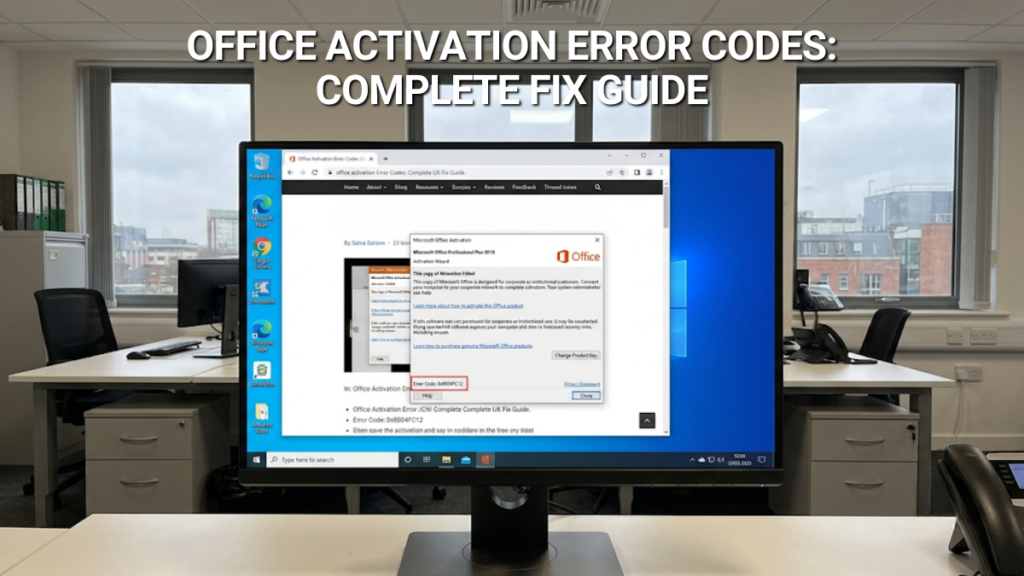
“Unlicensed Product” in the title bar, a code you’ve never seen before, and most of your Office features quietly disabled — activation errors are rarely as serious as they look. Most have a specific, fixable cause. Here’s what the common codes actually mean and the order worth trying fixes in, before you assume the worst.
Genuine perpetual Office licences — instant email delivery — UK-based support
If your code turns out to mean the key itself is genuinely dead rather than a fixable glitch, replacing it is faster than fighting it.
What “Unlicensed Product” Actually Means
If activation fails, Office doesn’t just nag you — it shows “Unlicensed Product” (sometimes “Non-commercial use”) in the title bar of Word, Excel, or whichever app you’ve opened, and disables most editing and formatting features until it’s resolved. It’s a hard stop rather than a cosmetic warning, which is why it’s worth working through methodically rather than clicking through every dialogue box hoping one fixes it.
Common Error Codes and What They Mean
| Code / message | What it usually means |
|---|---|
| 0xC004F200 | Appears on pre-installed Office trying to activate before Windows itself has finished activating. Confirm Windows is activated first, then retry Office. |
| 0xC004C060 | “Your product key is no longer valid” — usually means the key is already active on another installation, or has been blocked. See the note below before assuming it’s dead. |
| 0x80070005 | “Something went wrong and we can’t do this for you right now.” Almost always a Windows permissions issue, often appearing right after a Windows update. |
| “We couldn’t find any Office products” | You’re signed in with the wrong Microsoft account, or your subscription has expired. Not a key problem at all. |
Before you treat 0xC004C060 as a dead key: this same error also shows up when a key was entered, the connection dropped mid-activation, and the key was then re-entered too soon — while Microsoft’s servers were still registering the first attempt. That looks identical to a genuinely blocked key from the error message alone. Wait 15–30 minutes and try activating again before concluding the key itself is the problem.
The Fixes Worth Trying, in Order
- Sign in with the right Microsoft account. If you bought Office with a different email address than the one you’re currently signed in with, Office won’t find your licence. Check your Microsoft account’s Subscriptions page to confirm which address it’s tied to.
- Check for more than one copy of Office installed. Two installations can conflict during activation. Uninstall the version you’re not using via Control Panel > Programs and Features, then restart.
- Check your subscription status if you’re on Microsoft 365 — an expired subscription produces the same “can’t find any Office products” message as a wrong sign-in.
- Fix your system date, time, and time zone. Activation servers reject requests with a mismatched clock. Set both to update automatically under Windows Settings.
- Run the Office app as administrator (right-click the app icon, “Run as administrator”), then retry activation via File > Account > Activate Product.
- Check your firewall, antivirus, and proxy settings aren’t blocking Office’s activation servers — a common cause on managed work PCs and over VPNs.
If none of that clears it, Microsoft’s own Microsoft 365 Activation Troubleshooter runs a more thorough diagnostic automatically and is worth trying before going further.
The 0x80070005 Registry Fix — Handle With Care
When 0x80070005 follows a Windows update, the cause is usually a permissions change on a specific registry key, and Microsoft’s official fix involves editing permissions in Registry Editor directly. We’re not going to walk through that here — incorrect registry edits can cause far bigger problems than a stuck activation, and it’s exactly the kind of fix worth following from the source rather than a copy of it. Microsoft’s own walkthrough covers it step by step, including the backup you should take first.
If the Key Really Is Dead
After ruling out the timing issue above and working through the fixes, a key that still won’t activate is usually genuinely blocked rather than fixable. At that point, a fresh genuine licence costs less in time and frustration than continuing to troubleshoot one that’s gone.
Bought your key from Software Supplies? Get in touch before buying a replacement — our UK support team (9am–6pm, 7 days a week) can help troubleshoot the activation error directly, and will replace the key if it turns out to be genuinely faulty or blocked.
Office Professional Plus 2024
One-time purchase · genuine key · instant delivery
- ✓ Word, Excel, PowerPoint, Outlook, and more
- ✓ Activates cleanly on a fresh install
- ✓ No subscription, ever
Office Home & Business 2024
One-time purchase · genuine key · instant delivery
- ✓ Same core apps, consumer licensing terms
- ✓ Activates via setup.office.com
- ✓ No subscription, ever
Office Home & Business 2024
One-time purchase · genuine key · instant delivery
- ✓ Native Mac builds of Word, Excel, PowerPoint
- ✓ Activates via setup.office.com
- ✓ No subscription, ever
Frequently Asked Questions
It means Office couldn’t confirm a valid licence and has disabled most editing features as a result. It’s not a virus warning or a sign your files are at risk — it’s purely an activation state, and resolving the underlying cause (wrong account, expired subscription, a genuine error code, or a dead key) restores full functionality immediately.
Almost always because you’re signed in with a different Microsoft account than the one used to buy Office, or because a Microsoft 365 subscription has lapsed. Check account.microsoft.com/services with every email address you might have used to purchase it before assuming the licence itself is gone.
Often, yes — running Office as administrator and checking for pending updates resolves it for plenty of people. The deeper registry-permissions fix that’s sometimes needed after a Windows update is more involved and worth following directly from Microsoft’s official guide rather than a summary, given the risk of registry edits done incorrectly.
No. The same message appears if a previous activation attempt was interrupted — for example a dropped connection — and the key was retried while Microsoft’s servers were still processing that first attempt. Wait at least 15 minutes and try again before treating the key as genuinely blocked.
Not permanently, but it usually requires reactivating Office afterwards. If your Office licence is tied to your Microsoft account (the case for most retail and digital purchases), signing back in after the reinstall typically restores activation automatically. This covers the reinstall process in full.
This is the classic trigger for 0x80070005 — a Windows update occasionally resets permissions on a specific registry key that Office’s licensing service needs to read. It’s a permissions issue, not a sign your key or subscription has been affected.
For genuine error codes and account issues, Microsoft’s own support and the Activation Troubleshooter are the right first stop, since they can see the activation attempt on their end. If you suspect the key itself was never valid or was sold to multiple buyers, that’s a matter for whoever you bought it from. If that’s us, our UK support team is available 9am–6pm, 7 days a week, and can troubleshoot or replace a faulty key directly — worth a message before you buy a second licence.

Gary Walsh is the Head of Tech Support at Software Supplies, with more than 20 years in the IT industry. Fully Microsoft-certified and experienced across the full business software stack — from Windows and Office to cloud infrastructure and device management — Gary delivers practical, no-nonsense advice that helps users and businesses get the most from their technology.






