
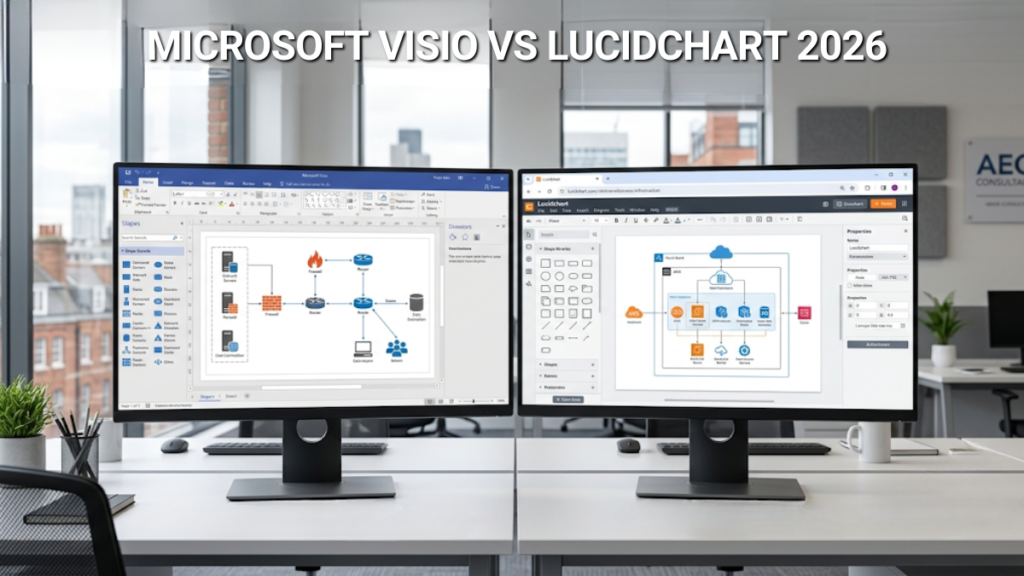
Two diagramming tools built on different philosophies. Visio is a desktop powerhouse for technical, data-linked diagrams. Lucidchart is cloud-native and collaboration-first. They overlap in what they produce but diverge sharply in how you work, what you pay, and what you own at the end of it.
Visio Professional 2024 — one-time purchase, full desktop app, no subscription. Instant delivery with UK support.
Buy Visio Professional 2024 — £249Two Different Tools for Two Different Jobs
Visio is a desktop application. You install it on a Windows PC, and it runs locally — with or without an internet connection. It’s built for detailed technical diagrams: network infrastructure, engineering schematics, floor plans, database models, and process maps that link directly to live data in Excel, SQL Server, or SharePoint. It’s deep, sometimes complex, and designed for people who need precision.
Lucidchart is a web application. You open it in a browser — Chrome, Safari, Firefox, anything — and work entirely in the cloud. It’s built for speed and collaboration: multiple people editing the same diagram simultaneously, live cursors, inline comments, changes saved instantly. It integrates broadly across Google Workspace, Slack, Jira, Confluence, and Salesforce.
That difference in architecture shapes everything else. Where you work, how you share, what you can connect to, and what you pay.
Where Lucidchart Is the Better Choice
If your work is collaborative and platform-agnostic, Lucidchart has real advantages.
Real-time co-editing is its strongest feature. Multiple people can work on the same diagram at once with live cursors and inline comments — genuinely useful for workshops, sprint planning, or any scenario where a diagram evolves through group input. Visio’s collaboration is limited to the web app under a Plan 2 subscription, and even then it’s less fluid than what Lucidchart offers natively.
Cross-platform access is the other clear win. Lucidchart runs in a browser on Windows, Mac, Linux, Chromebook, or a tablet. Visio Professional 2024 is Windows-only. If your team includes Mac users or you work across devices, that’s a hard constraint.
Lucidchart also has a free tier — limited to three editable documents at a time, but functional enough for occasional use. Visio has no free option beyond a short trial.
And if your stack is Google-centric, Lucidchart’s Google Workspace integration is tighter than anything Visio offers. Diagrams embed directly in Google Docs, Slides, and Sheets.
Where Visio Is the Better Choice
If your diagrams need technical depth or connect to live data, Visio pulls ahead.
Data linking is the feature Lucidchart can’t match at the same level. Visio Professional lets you bind shapes to rows in an Excel spreadsheet, a SQL Server database, a SharePoint list, or an Access table — and the diagram updates when the data changes. Colour-code network devices by status, size org chart boxes by headcount, flag process steps by completion. Lucidchart offers data linking to Google Sheets and CSV files, but it doesn’t reach into SQL Server, SharePoint, or Access. If your data lives in the Microsoft ecosystem, Visio connects to it directly.
Template depth is stronger for technical verticals. Network rack diagrams, P&ID schematics, detailed floor plans with accurate scaling, BPMN 2.0 process maps, UML models — Visio’s template library goes deeper than Lucidchart’s in these specialist areas. Lucidchart has more templates overall, but Visio’s technical templates are more granular.
Offline capability matters more than people expect. Visio runs without an internet connection. Lucidchart doesn’t. If you’re diagramming a server room, a factory floor, or anywhere with unreliable connectivity, that’s not a minor distinction.
AutoCAD import is exclusive to Visio. If you work with .dwg files, Lucidchart won’t help.
What It Costs Over Five Years
Both Lucidchart and Visio Plan 2 are subscriptions. Visio Professional 2024 is the only option here that you buy once and keep.
Lucidchart’s Individual plan costs $9 per month, or $95.40 per year on annual billing — roughly £76 per year at current exchange rates. Visio Plan 2 costs £11.50 per month on an annual commitment (ex-VAT, from Microsoft’s UK pricing page). Visio Professional 2024 as a perpetual licence from us costs £249.
Over five years, that works out to approximately £380 for Lucidchart, £690 for Visio Plan 2 — and still £249 for the perpetual licence. The one-time purchase is the cheapest option from year four onwards, even against Lucidchart’s lower monthly rate, and you’re using the more powerful desktop application.
Cumulative cost over five years. Visio perpetual breaks even against Lucidchart at roughly 40 months, and against Visio Plan 2 at 22 months.
We’ve written a detailed comparison of Visio 2024 and Visio Plan 2 if you want the full feature-by-feature breakdown on the Microsoft side.
The Verdict
If your priority is real-time collaboration across a mixed-platform team — especially in a Google Workspace environment — Lucidchart is the better tool. It’s lighter, more accessible, and purpose-built for that workflow.
If you need technical depth, data linking to Microsoft systems, offline access, or you simply want to stop paying monthly for a diagramming tool, Visio Professional 2024 is the stronger choice. It costs less than both subscriptions over the long run and does more with complex, data-driven diagrams.
The question isn’t which tool is better in the abstract. It’s which workflow matches yours.
Visio Professional 2024
Genuine product key · Instant delivery
- One-time purchase — no subscription
- Full desktop app with data linking
- Activates via setup.office.com
- UK support 7 days a week
Frequently Asked Questions
Yes. Lucidchart can import .vsdx files, the standard Visio format. Basic shapes and layouts transfer reasonably well, but complex elements — data graphics, custom stencils, embedded data links — don’t always survive the conversion cleanly. If you’re migrating an existing Visio library, test a few representative files before committing.
No. Lucidchart is entirely browser-based and requires an active internet connection. There’s no desktop application and no offline mode. If you need to work without connectivity — on-site at a data centre, on a factory floor, or simply on a train — Visio’s desktop app handles that without issue.
Not with a perpetual licence. Visio Professional 2024 is Windows-only. The web-based version of Visio is available through a Visio Plan 1 or Plan 2 subscription, and that runs in any browser on any platform — but it’s a subscription with a reduced feature set compared to the desktop app. If you’re on a Mac and want a fully featured desktop tool, Lucidchart or one of the other Visio alternatives may be a better fit.
It depends on volume. The free tier limits you to three editable documents at a time. You can view older diagrams but can’t edit them without archiving or deleting one of your active three. For occasional diagramming — a quarterly process review, an ad-hoc network map — it’s workable. For anything regular, you’ll hit the limit quickly and need the Individual plan.

Gary Walsh is the Head of Tech Support at Software Supplies, with more than 20 years in the IT industry. Fully Microsoft-certified and experienced across the full business software stack — from Windows and Office to cloud infrastructure and device management — Gary delivers practical, no-nonsense advice that helps users and businesses get the most from their technology.






