
For some people the honest answer is no, not yet. Our Office Licence Advisor asks a few short questions about how you work and gives you a straight recommendation — including when staying put is reasonable.
What Office 2016 end of support actually stopped
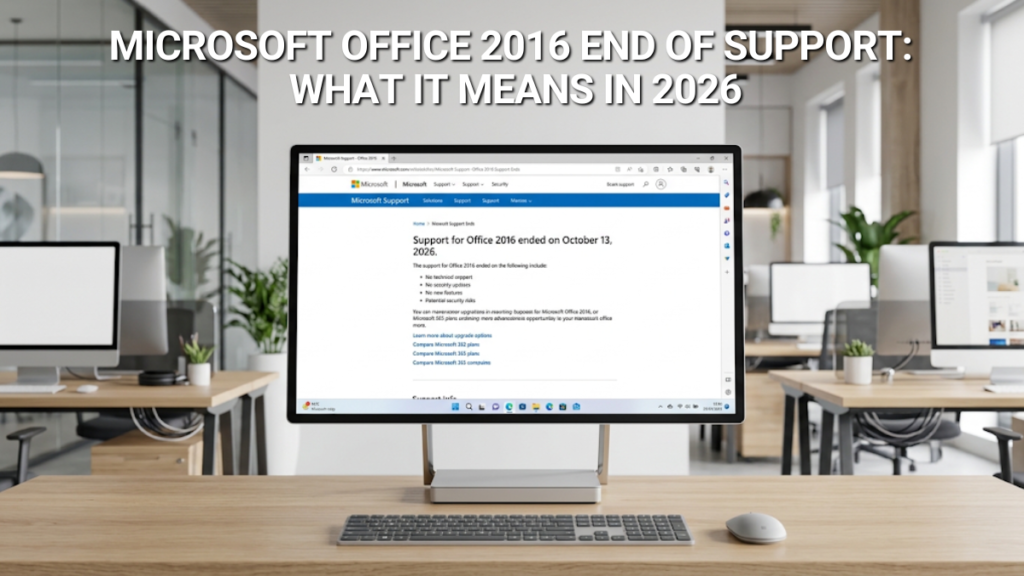
“End of support” is a narrower term than it sounds. It describes what Microsoft stopped doing, not something Microsoft did to your computer.
| Ended 14 October 2025 | Still works today |
|---|---|
| Security updates | Opening, editing and saving your files |
| Bug fixes | Your existing activation |
| Phone and chat support from Microsoft | Reinstalling with your existing product key |
| Microsoft’s online help content | Standard formats (.docx, .xlsx, .pptx) |
Microsoft did not disable anything. There is no kill switch, no forced uninstall, and no expiry date built into your licence. Your copy of Office 2016 is yours, and it will keep running for as long as the operating system underneath it allows. Office 2019 reached end of support on exactly the same date, so everything here applies equally if that is what you are running.
Microsoft warns that continuing to use Office 2016 means you “could expose yourself to serious and potentially harmful security risks”, and that app performance and quality “may degrade over time”. That is a risk statement, not a shutdown notice — and the distinction matters, because it leaves the decision entirely with you.
What has actually gone wrong since October 2025
Most articles about this deadline were written before it arrived, in the future tense, and predicted a great deal. Ten months on, we can be more specific.
Outlook and Microsoft 365 mailboxes
This is the most common real-world breakage, and also the most misunderstood — because it did not start last October. If your Outlook 2016 has been throwing authentication errors, dropping connections or failing to sync a Microsoft 365 mailbox, that is an older problem wearing a newer label.
Support for Office 2016 and Office 2019 connecting to Microsoft 365 services — Exchange Online, SharePoint Online and OneDrive for Business — ended on 10 October 2023, nearly three years ago. Microsoft does not test its cloud services against clients that old, so when something changes on their side, breakage on yours is nobody’s priority. If your email is a standard IMAP or POP account from a UK provider, this will not affect you.
The unpatched vulnerability backlog
Every Patch Tuesday since October 2025 has included fixes for Office security flaws. Office 2016 has not received them. For a home user or small UK business, the realistic threat is not a targeted attack — it is a document. An invoice from a supplier, a spreadsheet from a client, a CV from an applicant, carrying an exploit for a flaw Microsoft has already fixed everywhere else. Those flaws become public knowledge once they are patched, which is exactly what makes unpatched software a target.
Compatibility drift
Slow and mild, but real. Colleagues on Microsoft 365 and Office 2024 are using newer functions, chart types and formatting features. Office 2016 opens those files, but increasingly renders parts of them imperfectly or strips them on save. If you are the only person in a workflow still on 2016, you will be the one quietly breaking documents.
The exception: some Office 2016 installs are still being patched
Here is the wrinkle that makes blanket advice difficult. According to reporting by Office Watch, MSI-based Office 2016 installations have continued to receive security patches after the end-of-support date — roughly 36 of them between November 2025 and July 2026. Click-to-Run installations received nothing after 14 October 2025, when they stopped at build 16.0.19127.20302.
MSI installs are typically the volume-licensed editions — Office Professional Plus 2016 and Office Standard 2016 — the sort a business bought through a licensing agreement rather than off a shelf. Which means you cannot judge your own risk without knowing which type of install you have, and most people have never had a reason to find out.
How to check which Office 2016 you have
Open Word, Excel or any Office 2016 app, go to File → Account (in Outlook, File → Office Account), and look at the right-hand side under Product Information.
| What you see | What it means |
|---|---|
| An “Update Options” button | Click-to-Run. Check About Word — if the build reads 16.0.19127.20302, that is the final update from 14 October 2025 and you have had no security patches since. |
| No “Update Options” button | MSI install. Patches arrive through Windows Update or your organisation’s WSUS server, and you may have quietly received some of those 36 updates. |
These updates are issued at Microsoft’s sole discretion and do not mean Office 2016 is supported again. No commitment to keep patching, no promise that every vulnerability gets fixed, no bug fixes, no technical support. The MSI group has bought some time; it has not bought safety.
What replacing it actually costs
The reason most Office 2016 users bought Office 2016 is that it was a one-off purchase. That option still exists, and over the life of the software it remains the cheaper one. A perpetual licence is a flat line; a subscription is a staircase.
Microsoft 365 buys you apps that update themselves permanently, installation across multiple devices, 1TB of OneDrive storage per user and the current Copilot features. If you work across a laptop, desktop, tablet and phone, that is a reasonable fit. The counterpoint is simple arithmetic: it never stops costing money, and if you stop paying, the apps drop to read-only. We have set out the full case for buying outright if you want the detail.
Does this affect Cyber Essentials, insurance or UK GDPR?
If Office 2016 is only ever used on a home machine for personal letters, this will not apply to you. If there is any business use at all, it will.
Cyber Essentials requires software within the scope of certification to be supported by its vendor and still receiving security updates. Unsupported software has to be removed, replaced or properly segregated from the certified environment. Office 2016 on a machine handling business data is a straightforward certification failure — which matters if you are renewing, tendering for public-sector work, or completing a client’s security questionnaire.
UK GDPR requires appropriate technical and organisational measures to protect personal data. The ICO does not publish a list of banned software, and running Office 2016 is not in itself unlawful. But if you suffer a breach traced to an unpatched flaw in software that went out of support ten months earlier, that is a difficult position to explain. Cyber insurance policies increasingly ask about unsupported software directly, and answering inaccurately is a good way to discover what your policy does not cover.
Cyber Essentials requirements are updated annually. Confirm the current version through NCSC or IASME rather than relying on any summary, including this one.
So what should you do?
All four of these are true
- The machine is not used for business
- It does not open files from other people
- It handles no client or customer data
- You are writing letters and keeping a household budget
Any one of these is true
- You use it for work of any kind
- You open documents sent to you
- You hold Cyber Essentials or are tendering
- Outlook connects to a Microsoft 365 mailbox
Software does not rot the day support ends, and there is a genuine case for doing nothing. But it is a narrow case, and all four conditions have to hold. The moment a supplier’s invoice or a friend’s spreadsheet lands on that machine, the calculation changes.
If you are replacing it, a perpetual Office 2024 licence is the like-for-like move: buy once, own it, supported until 2029. For the feature-by-feature detail, see our comparison of Office 2016 and Office 2024. If you are on Office 2019 rather than 2016, we have covered that upgrade separately. And if your needs are simple, the free options in our guide to Office alternatives are genuinely viable.
Do not “upgrade” to Office 2021. Support for Office 2021 and Office LTSC 2021 ends on 13 October 2026 — under two months from now. Buying 2021 to escape the Office 2016 problem means repeating this article within weeks. The one exception is if you specifically need Microsoft Publisher, which is not in the 2024 line-up; in that case the trade-off is deliberate and time-limited, and we have covered what Publisher users should do separately.
Still on Windows 10 as well?
Worth checking, because Windows 10 reached end of support on 14 October 2025 — the same day as Office 2016. The two often travel together: a machine bought around 2016 or 2017 frequently has both. If that is you, there are two unsupported layers stacked on top of each other, and the operating system is the more urgent of the two. Extended Security Updates can buy time, and Year 2 of the programme runs from October 2026. See our guides to Windows 10 ESU pricing and what to do in ESU Year 2.
Frequently asked questions
No. Office 2016 will not stop working. End of support means Microsoft stopped issuing security updates and providing technical help — it did not disable the software. Your apps will continue to open and run indefinitely.
Not for business or shared files. Office 2016 has had no general security updates since 14 October 2025, so any Office vulnerability discovered since then remains unpatched. For an offline personal machine the practical risk is lower, but it grows every month.
Yes. Microsoft’s activation servers still accept Office 2016 keys, so you can reinstall on a new machine or after a Windows rebuild. Activation is separate from support and was not switched off.
Yes. A genuine Office 2016 licence remains valid permanently. End of support does not revoke keys or invalidate licences you already own.
Generally no. Click-to-Run installs received their final update on 14 October 2025. Some MSI-based volume-licence installs have continued receiving patches at Microsoft’s discretion, but this is not a return to support and could stop without notice.
It may connect, but it has been unsupported since 10 October 2023. Microsoft does not test its services against clients that old, so problems can appear without warning and will not be fixed.
No. Using software after its support ends is entirely legal. The issues are security and compliance — it can fail Cyber Essentials certification and complicate your data protection obligations — not legality.
A one-off perpetual Office 2024 licence is usually cheapest over the lifetime of the software, because there is nothing further to pay. Free alternatives cost nothing at all if your needs are simple.

Gary Walsh is the Head of Tech Support at Software Supplies, with more than 20 years in the IT industry. Fully Microsoft-certified and experienced across the full business software stack — from Windows and Office to cloud infrastructure and device management — Gary delivers practical, no-nonsense advice that helps users and businesses get the most from their technology.






