
Microsoft Project · Licensing
Microsoft Project 2021 reaches its retirement date on 13 October 2026. Project 2024 runs until 9 October 2029. The gap in licence price between the two is around twenty pounds. That, in a sentence, is the entire decision — but there is one situation where upgrading right now is the wrong move, and it is worth two minutes of your time before you buy.
Buy once, own it outright
Microsoft Project Professional 2024
Genuine perpetual licence, instant key delivery, UK-based support. One-time purchase — no subscription, no renewal, supported by Microsoft until October 2029.
The short answer
Buy Project 2024. Not because it is a better application than Project 2021 — in day-to-day use it is very nearly the same application — but because Project 2021 stops receiving security updates in October 2026 and costs almost the same to licence. Paying slightly less for software with weeks of supported life remaining is a false economy.
The only reason to pause is if you are still connecting a desktop client to Project Server or Project Online. Skip to the section on server connections before you order.
The deadline makes this decision for you
Microsoft Project 2021 and Project 2024 both follow Microsoft’s Modern Lifecycle Policy. That matters more than most buyers realise, because the older Office-era products people are used to had two support phases — five years of mainstream support followed by five years of extended support. Modern Lifecycle products have one date and then nothing.
| Project 2021 Professional | Project Professional 2024 | |
|---|---|---|
| Released | 5 October 2021 | 1 October 2024 |
| Retirement date | 13 Oct 2026 | 9 Oct 2029 |
| Extended support | None — Modern Lifecycle | None — Modern Lifecycle |
| Editions covered | Professional, Standard | Professional, Standard |
| Licence type | Perpetual, one PC | Perpetual, one PC |
There is no reprieve mechanism here. There is no Extended Security Updates programme for Microsoft Project the way there is for Windows 10. When the date passes, that version is done.
What “retirement” actually means
It is worth being precise, because the word frightens people into thinking their software will stop working. It will not.
What keeps working: the application launches, your licence stays activated, your .mpp files open and save exactly as before, and you can reinstall on a replacement PC using the same key. A perpetual licence does not expire because a support date passed.
What stops: security patches, bug fixes, and any assistance from Microsoft. From October 2026, any newly discovered vulnerability in Project 2021 stays unfixed permanently.
Why this bites harder for Project than for most software
Project schedules are commercially sensitive documents. They contain resource rates, margins, subcontractor costs and delivery commitments. Plenty of our customers work in construction, defence, engineering and public-sector consultancy, where “all software in use is within its supported lifecycle” is a contractual or insurance requirement rather than a nice-to-have. Running an unsupported scheduling tool can fail a tender questionnaire or a Cyber Essentials assessment long before it ever causes a technical problem.
Project 2021’s retirement also lands on the same day as a much larger cluster of Microsoft deadlines. If you are running Office 2021 or Windows 10 alongside it, read our roundup of everything Microsoft retires in October 2026 and plan the whole lot in one go rather than three separate purchases.
What actually changed between 2021 and 2024
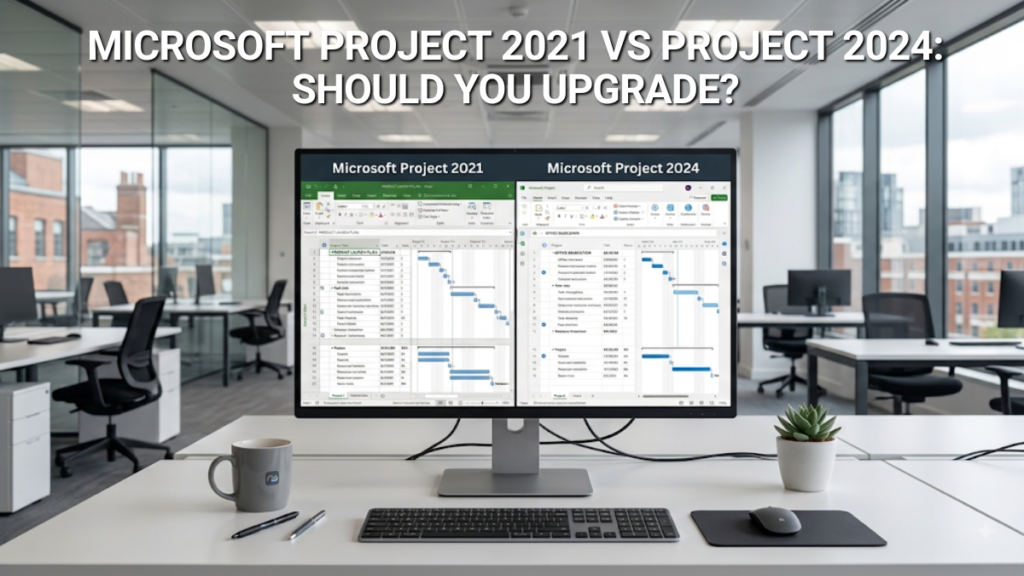
We are going to be straight with you, because the alternative is selling you an upgrade on promises the software does not keep. Project 2024 is an incremental release. If you sat a project manager down in front of both versions without telling them which was which, most would struggle to identify the newer one from the interface alone.
Performance on modern hardware
The clearest practical gain. Project 2024 is optimised for current processors and Windows 11, and the difference shows on large files — schedules running to several thousand tasks with dense dependency chains open faster and recalculate faster after an edit. If your plans are a few hundred tasks, you will not notice. If you maintain a programme-level schedule with linked subprojects, you will.
Accessibility improvements
Better screen reader behaviour, improved high-contrast rendering, and more consistent keyboard navigation across Gantt, Task Board and Resource Sheet views. Genuinely useful if you have accessibility obligations under the Equality Act or a public-sector procurement standard to meet; largely invisible otherwise.
Visual style aligned with Office 2024
A refreshed ribbon, updated iconography, cleaner typography and better chart rendering in visual reports. Cosmetic, but if you also run Office 2024 the mismatch between a 2021-era Project window and the rest of your suite disappears.
What didn’t change
Nearly everything that matters day to day, which is precisely why the upgrade is easy rather than disruptive:
- The scheduling engine is the same. Critical path, constraint handling, calendars and levelling all behave identically.
- The
.mppfile format is unchanged. Project 2021 opens files saved in 2024 and vice versa, with no conversion step and no compatibility mode. - Earned value management is the same set of fields — BCWS, BCWP, ACWP, SPI, CPI, EAC, VAC — calculated natively in both.
- Resource levelling, baselines (still eleven), Team Planner and resource pool sharing are unchanged.
- Custom fields, formulas, graphical indicators, views, tables, filters and the Organiser all carry across untouched.
- Ribbon layout and keyboard shortcuts are effectively identical. There is no retraining cost.
The honest summary
This is a support upgrade, not a feature upgrade. Nobody should buy Project 2024 expecting new capability. You should buy it because it is the version Microsoft will still be patching in 2029, and because it costs roughly the same as the version they stop patching this October.
What it costs over five years
The pricing is where the argument becomes difficult to argue with. Project 2021 is cheaper on the shelf, but you would be buying a licence with a matter of weeks of supported life left — and then buying again. Set against a Project Plan 3 subscription, both perpetual options look very different indeed.
Five-year total cost — Project Professional 2024 vs buying 2021 now vs Project Plan 3 subscription
Perpetual licence prices pulled live from our store. Project Plan 3 modelled at Microsoft’s published list price of approximately £25.30 per user per month. The 2021 line assumes you buy Project 2021 today and replace it with Project 2024 after its October 2026 retirement.
Buying Project 2021 today does not save you money. It defers a purchase by a few weeks and then costs you the full price of Project 2024 on top. The only version of that plan which makes financial sense is one where you genuinely intend to keep running unsupported software for years, and for most businesses that is not a decision the finance director gets to make on their own.
Against the subscription route the gap is larger still. A single Plan 3 seat passes the cost of a perpetual Project 2024 licence within about ten months and keeps charging. Plan 3 does buy you things the desktop licence does not — browser access, cloud storage, portfolio features at Plan 5 — and if you need those, pay for them. Our Project 2024 vs Project Plan 3 comparison sets out exactly where the line falls.
Who should upgrade, and when
You are running Project 2021 now
Upgrade before 13 October 2026. There is no technical urgency — nothing breaks on the day — but there is no benefit to waiting either, and budgets have a habit of closing. Your existing files open in 2024 untouched, your keyboard habits transfer, and you can keep 2021 installed alongside 2024 during any transition period.
You are buying Microsoft Project for the first time
Buy 2024, without hesitation. Choosing 2021 to save around twenty pounds on a licence that retires within weeks is not a saving, and we would rather tell you that than take the order. If you are still deciding whether Project is the right tool at all, our comparisons against Excel and against Asana, Monday and ClickUp are the better starting point.
You are moving off Project Online
Project Online retires in September 2026, ahead of Project 2021. If you are migrating exported schedules to a desktop tool, go straight to 2024 — landing on a version that retires the following month would be a wasted migration. Work through our Project Online retirement action plan first, and make sure your data is exported before the service closes.
You should not upgrade if…
You use Microsoft Project rarely, keep it offline, hold nothing commercially sensitive in it, and answer to no procurement standard. In that narrow case the support date is a theoretical risk and you can reasonably run 2021 until it stops meeting your needs. We would still buy 2024 at this price gap, but the argument is weaker and you are entitled to make it.
Before you install: three things worth knowing
1. Server connections are the one real catch
Project Professional 2021 has established connectivity to Project Server and, via the desktop client, to Project Online. Project Professional 2024’s server story is thinner — Microsoft’s compatibility guidance does not present it as a drop-in replacement for connecting to on-premises Project Server 2016 or 2019.
For most buyers this is academic. Project Server 2016 and 2019 reached the end of extended support on 14 July 2026, and Project Online retires in September 2026, so the server estate this would affect is being decommissioned anyway. But if you are still connected to a server today, confirm your migration path before you order rather than after. Our guide to running Project 2024 without Project Server covers what works standalone and what genuinely requires the server.
2. You can run both versions side by side. Project 2021 and Project 2024 can coexist on the same PC, which makes for a comfortable transition if you want to check a complex schedule behaves identically before retiring the old install. Each needs its own licence — this is not a way of getting two machines out of one key.
3. Activation takes about five minutes. Redeem the key against a Microsoft account, download the installer, activate, and you are done. After that the software runs entirely offline. Full instructions are in our Project 2024 activation guide, and if you replace your PC later, retail licences transfer provided you remove the software from the old machine first.
Genuine licence · Instant delivery · UK support
Microsoft Project Professional 2024
Supported by Microsoft until October 2029. One payment, one PC, no subscription and no renewal date. Delivered by email within minutes, with our UK support team on hand seven days a week if activation gives you any trouble.
Common questions
No. Project 2021 will continue to launch, stay activated and open your files after 13 October 2026. What ends is Microsoft’s support: no more security updates, bug fixes or technical assistance. The perpetual licence itself does not expire.
Yes, but for support reasons rather than features. Project 2024 offers better performance on large files, improved accessibility and a refreshed interface, while the scheduling engine is unchanged. The real case is that Project 2021 retires in October 2026 and Project 2024 is supported until October 2029, for a licence price difference of around twenty pounds.
Yes, and the reverse is true too. The .mpp file format is unchanged between the two versions, so files open in either direction with no conversion step or compatibility mode. Project 2024 also opens files from every earlier version of Microsoft Project.
No. Project 2024 follows Microsoft’s Modern Lifecycle Policy, which has a single retirement date of 9 October 2029 with no separate extended support phase. Project 2021 works the same way, with its single date falling on 13 October 2026.
Yes. The two versions coexist without conflict, which is useful during a transition while you confirm complex schedules behave as expected. Each installation requires its own licence key.
In almost all cases, no. The saving is small and the licence has very little supported life remaining, so most buyers end up purchasing Project 2024 shortly afterwards and paying twice. The exception is a light, offline user with no procurement or compliance obligations, who may reasonably decide the support date does not affect them.
Project Professional 2024 is designed to run standalone, and Microsoft does not present it as a direct replacement for connecting to on-premises Project Server 2016 or 2019. In practice this affects few people, because Project Server 2016 and 2019 reached end of extended support in July 2026 and Project Online retires in September 2026. If you currently rely on a server connection, confirm your migration path before upgrading.
No — Plan 3 includes the desktop application as part of the subscription. The question is whether the subscription is worth keeping. A perpetual Project 2024 licence costs less than a year of Plan 3 for a single user, so unless you need the web app, cloud storage or portfolio features, the one-time purchase usually works out considerably cheaper.
Support dates verified against Microsoft’s published product lifecycle information at the time of writing. Subscription pricing is Microsoft’s list price and excludes VAT; perpetual licence prices shown are live from our store and include VAT where applicable. Software Supplies is an independent reseller of genuine perpetual Microsoft licences and is not affiliated with Microsoft Corporation.

Gary Walsh is the Head of Tech Support at Software Supplies, with more than 20 years in the IT industry. Fully Microsoft-certified and experienced across the full business software stack — from Windows and Office to cloud infrastructure and device management — Gary delivers practical, no-nonsense advice that helps users and businesses get the most from their technology.






